
Web API
AbortController
定义
AbortController 接口代表一个控制器对象,允许你在需要时中止一个或多个 DOM 请求
使用案例:AI对话中止功能
Element
定义
最通用的基类,Document 中的所有元素对象都继承自它。例如,HTMLElement 接口是所有 HTML 元素的基本接口,而 SVGElement 接口是所有 SVG 元素的基础
常用属性
- 样式相关:clientHeight、scrollHeight、HTMLElement.offsetHeight
Element.getBoundingClientRect()
定义
该方法返回一个 DOMRect 对象,提供了元素的大小及其相对于视口的位置
使用案例:Ant Table 高度自适应
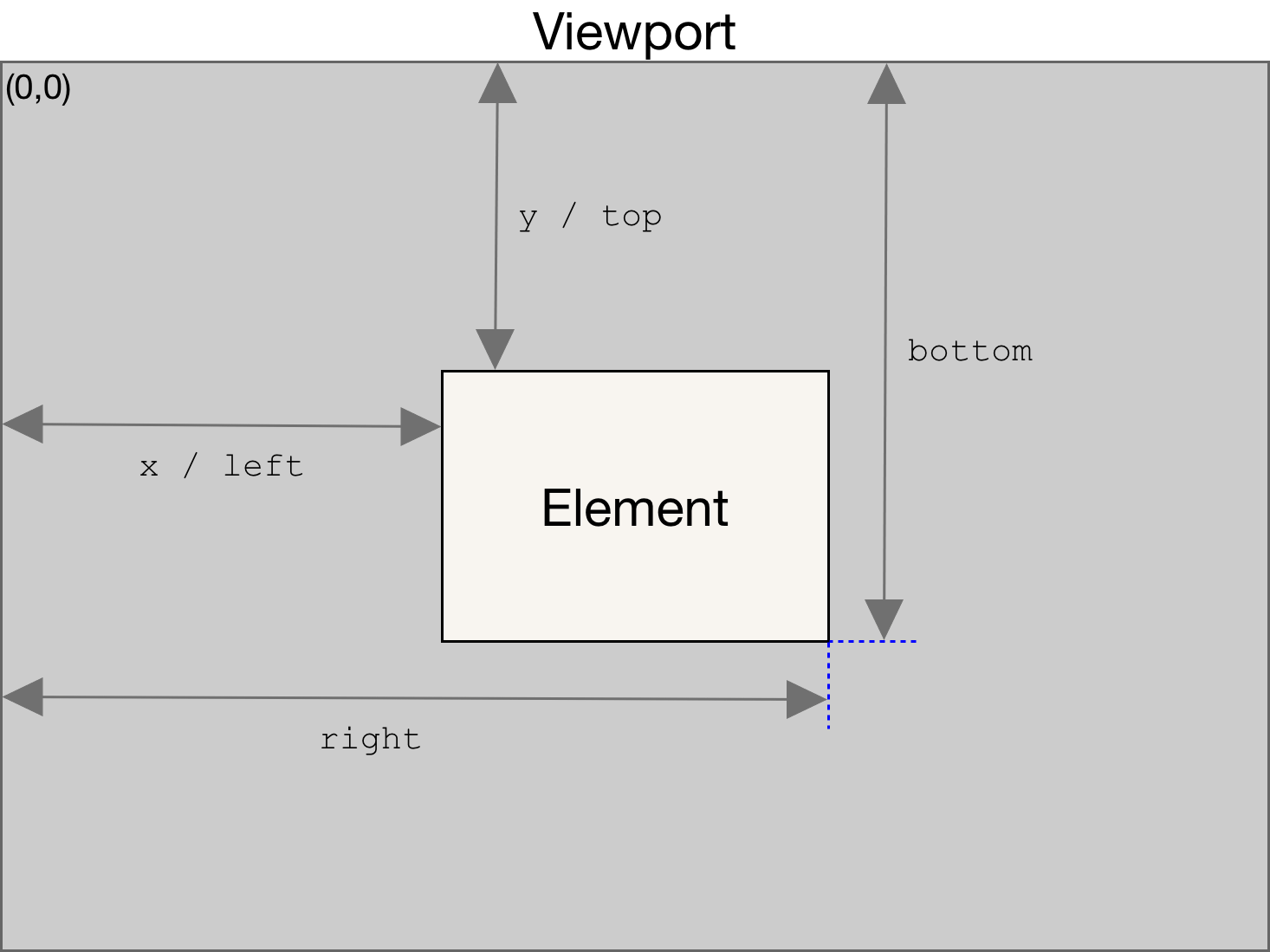
基本用法
js
const box = document.querySelector('.my-box');
const btn = document.querySelector('.btn');

btn.addEventListener('click', () => {
  const rect = box.getBoundingClientRect();
  console.log('元素位置和大小:', rect);
  console.log('距离顶部:', rect.top);
  console.log('盒子底边距离顶部:', rect.bottom);
  console.log('距离左边:', rect.left);
  console.log('盒子右边距离左边:', rect.right);
  console.log('宽度:', rect.width);
  console.log('高度:', rect.height);
});
html
<div class="my-box" style="width:100px; height:50px; background:blue;">
  示例盒子
</div>
<button class="btn">获取位置</button>
ResizeObserver
定义
ResizeObserver 接口可以监视 Element 内容区域或 SVGElement 边界尺寸的变化
基本用法
js
// 创建 ResizeObserver 实例
const observer = new ResizeObserver((entries) => {
  for (let entry of entries) {
    const { width, height } = entry.contentRect
    console.log('元素尺寸变化:', width, height)
  }
})

// 监听某个元素
const el = document.getElementById('myDiv')

// 开始监听
observer.observe(el)

// 结束指定元素的监听
observer.unobserve(el)

// 断开所有监听
observer.disconnect()
Window.getComputedStyle()
定义
该方法返回一个 CSSStyleDeclaration 对象,包含元素所有最终生效的 CSS 属性值,元素的样式改变时,它会自动更新本身
语法
js
window.getComputedStyle(element);

// 第二个参数 pseudoElt :指定一个要匹配的伪元素的字符串。必须对普通元素省略(或null)。
window.getComputedStyle(element, pseudoElt)